Test chat
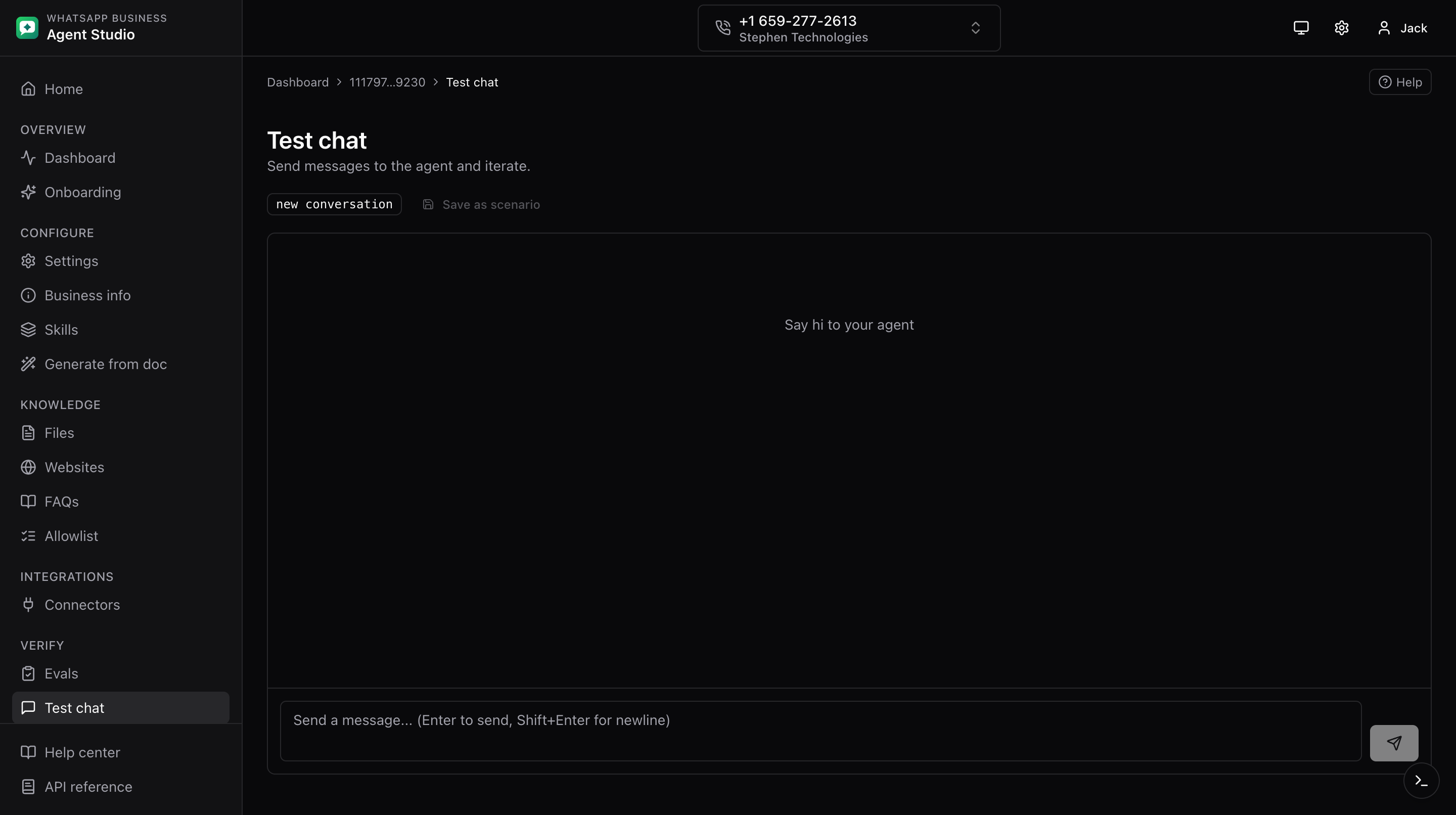
The Test page is a WhatsApp-style bubble UI. Use it to sanity-check any change before shipping to real consumers.
What you'll do
- Chat with the agent as if you were a consumer.
- Start a new conversation.
- Save the current conversation as a scenario for replay later.
Step-by-step
- Open Test from the sidebar.
- Type a message in the input at the bottom and press Enter.
- The agent replies inline. A typing indicator appears while the response is being generated.
- Continue the conversation. Each turn shares context with the previous turns.
- Click New conversation in the header to reset the chat and start fresh.
- Click Save as scenario next to New conversation to persist the current conversation. See Scenarios.
Good to know
- The conversation is sticky until you click New conversation. Every message you send until then goes to the same underlying conversation, so the agent remembers earlier context.
- The typing indicator is tied to the in-flight request. If it stays visible for a long time, the request is still working; if it disappears without a reply, check the dev drawer.
Troubleshooting
- The whole page scrolls instead of just the message list, refresh the page. If it persists, report the issue.
- Typing dots stay after a response should have arrived, check the dev drawer for a stalled request.
- New conversation did not clear state, refresh the page.