API reference viewer
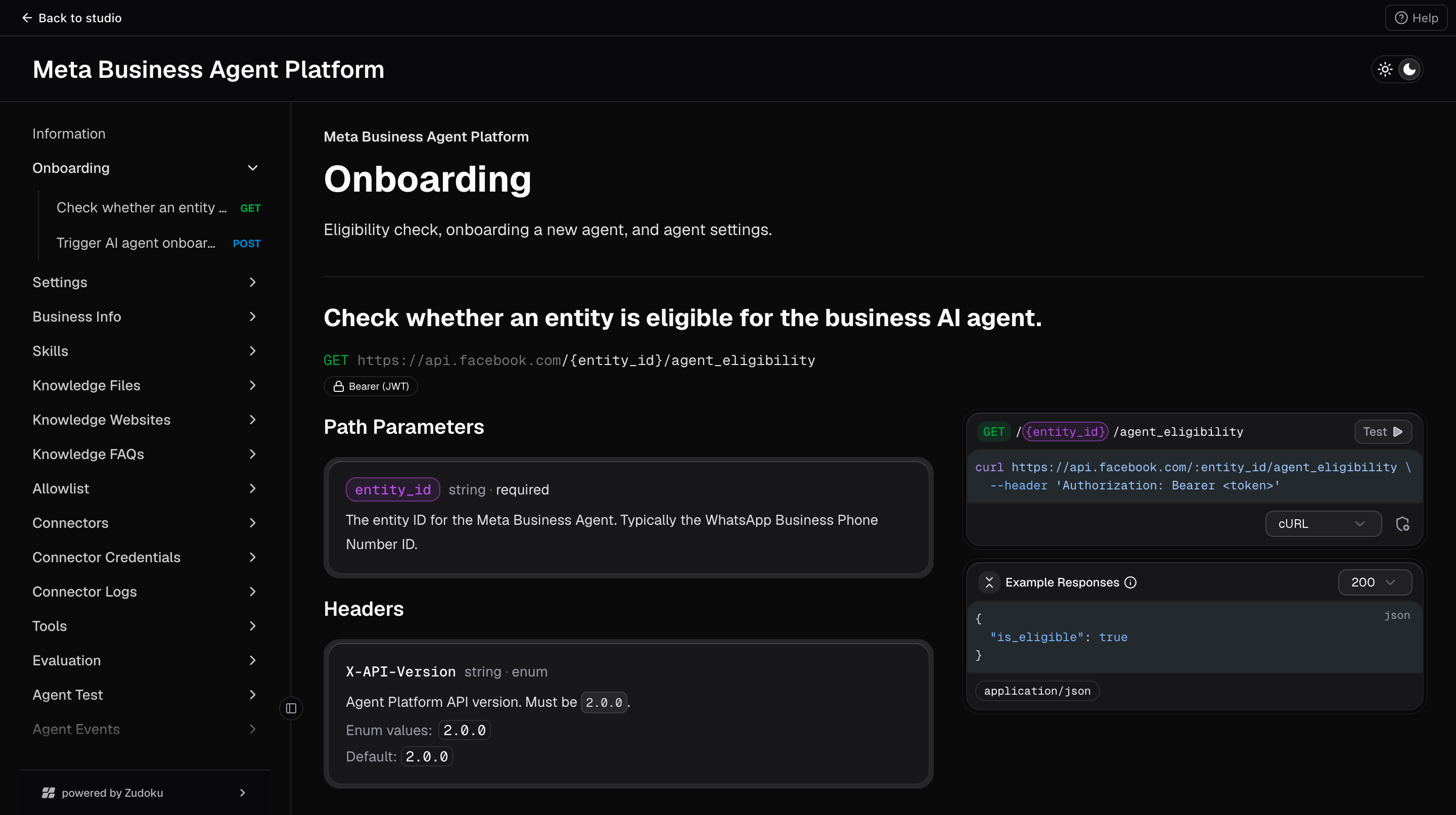
The app ships an interactive API reference for the underlying Meta Business Agent Platform. It is useful when you want to look up an endpoint's exact request shape or explore what else is possible beyond the UI.
What you'll do
- Open the API reference from the sidebar.
- Browse endpoints, request bodies, and response shapes.
- Try an endpoint using the built-in "Try it" feature.
Step-by-step
- In any dashboard page, look at the sidebar. At the bottom, below the resource groups, you will see an API docs link.
- Click it. The API reference opens inside the app.
- Use the left navigation inside the reference to jump between endpoint groups (Settings, Skills, Connectors, Evals, and so on).
- Click an endpoint to see:
- Its HTTP method and path.
- Path parameters, query parameters, and request body shape.
- Response shapes for success and error cases.
- Example payloads.
- Where available, use the Try it button to send a test request from your browser. The reference streams the request through the app, so your access token is used automatically.
Good to know
- The reference respects your current theme. When you switch between Light and Dark from the main toggle, the reference switches with you.
- If the app is running behind an authenticated proxy or corporate SSO layer, the reference works as long as the rest of the app does.
Troubleshooting
- The reference shows a blank area, refresh the page. The reference sometimes needs an extra tick to hydrate.
- The reference stays dark when I switch to Light mode, refresh the page. The theme sync usually fires automatically but may miss the initial load.
- An endpoint's Try it fails, the same request would fail from the playground too. Check your access token and any required scopes.