WABA terms not accepted
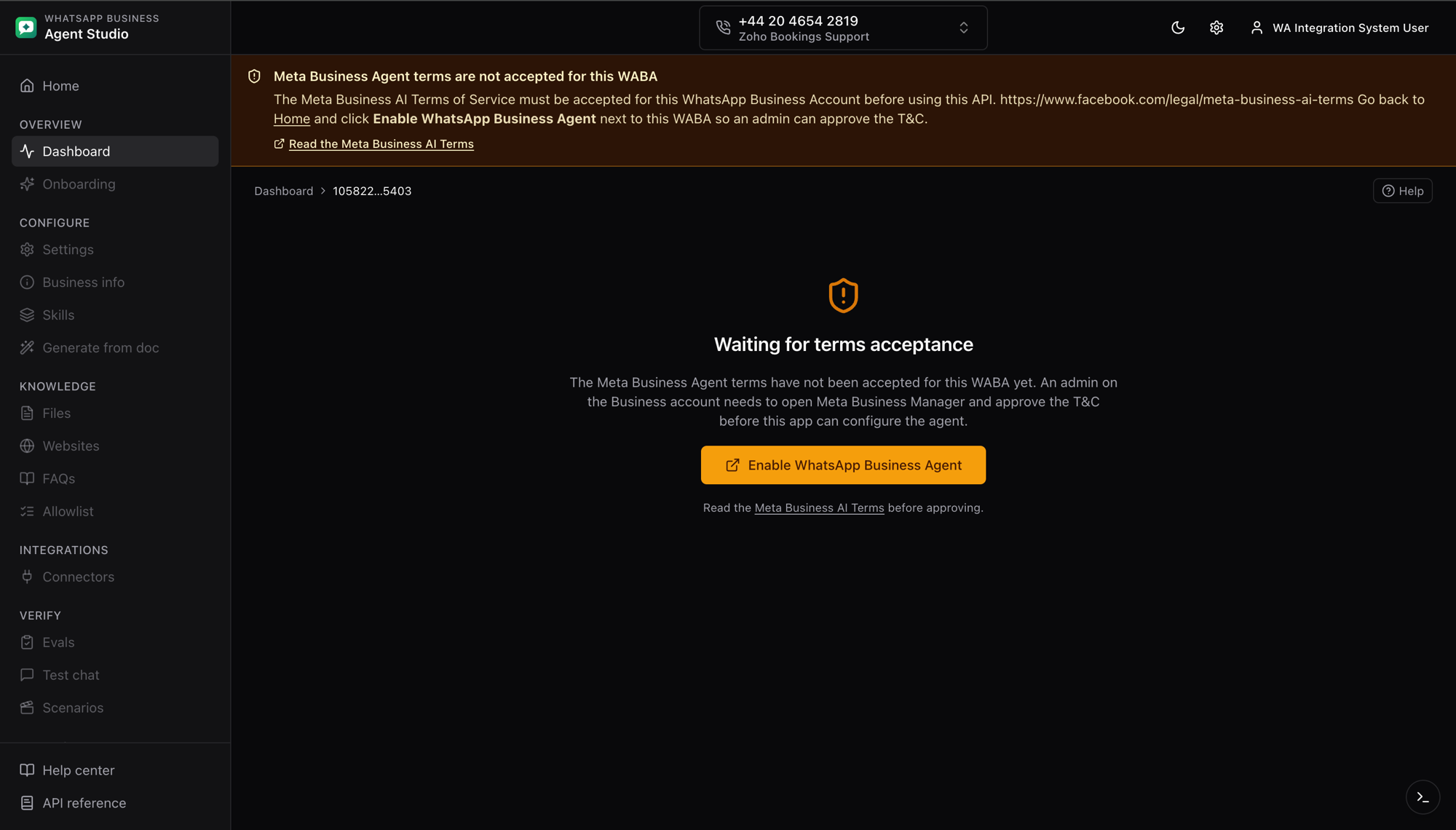
The Meta Business Agent Platform is guarded by a per-WABA terms of service. If those terms have not been accepted for the WhatsApp Business Account behind the phone you are configuring, the app cannot read or write agent data.
What you'll see
- A yellow banner near the top of the dashboard that reads "Meta Business Agent terms are not accepted for this WABA".
- Every sidebar item under the current phone is greyed out and non-clickable. Only the dashboard itself and the top-level Home, Help, and API reference links remain active.
- The main content area shows a Waiting for terms acceptance message with an Enable WhatsApp Business Agent button that opens Meta Business Manager pre-filled with your Business ID and WABA ID.
What triggers it
The dashboard reads agent_eligibility on load. If Meta returns:
403 Forbidden
{
  "title": "Forbidden",
  "detail": "The Meta Business AI Terms of Service must be accepted for this WhatsApp Business Account before using this API."
}
...the app switches into the blocked state described above.
How to fix it
- Go back to Home using the link in the banner or the top-left logo.
- Enter your Business ID if it is not already loaded.
- In the list of WABAs, click Enable WhatsApp Business Agent next to the WABA you are trying to configure. A new tab opens in Meta Business Manager.
- Ask an admin on the Business account to accept the Meta Business AI Terms of Service on that WABA.
- Return to the studio and reload the page. The banner disappears and every sidebar item unlocks.
If the Enable link opens a page that says the WABA is not eligible, the WABA has not been enrolled in the Beta yet. Sign up on the Meta Business Agent Platform get-started page.