Knowledge, FAQs
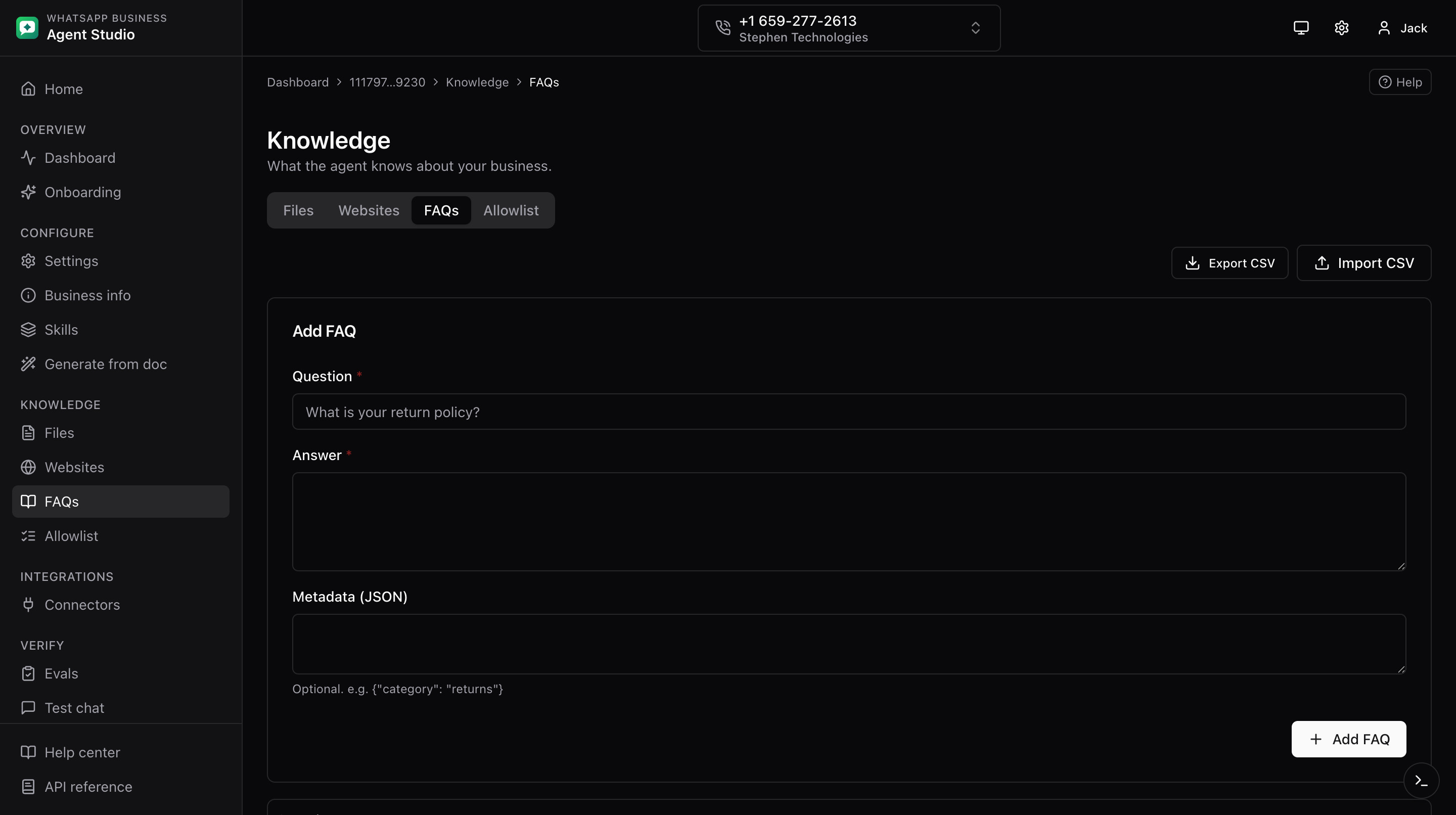
The FAQs tab under Knowledge manages question and answer pairs the agent can pull from verbatim.
What you'll do
- Add, edit, and delete FAQ entries.
- Import and export FAQs as CSV, including the metadata JSON column.
Step-by-step
Add, edit, or remove
- Open Knowledge, then the FAQs tab.
- Click Add FAQ. Fill in the question, the answer, and optional metadata as a JSON string.
- Click Save.
- To edit, click a row to expand it, update fields, and Save.
- To remove, click Delete on the row.
Import CSV
- Click Import CSV in the header.
- Upload your CSV. The preview validates each row, including the metadata column which must be valid JSON.
- Fix invalid rows in the source file and re-upload, or confirm to import the valid ones.
Export CSV
- Click Export CSV in the header. The current FAQ list downloads, with the metadata field serialized as a JSON string.
Good to know
Metadata is optional. Use it to attach tags or categories your team wants to track alongside the FAQ. Example: {"tag":"support"}.
Troubleshooting
- "Invalid metadata JSON" in the preview, the metadata cell must be a valid JSON string. Fix the source cell.
- The edit row does not open, refresh the page and try again.